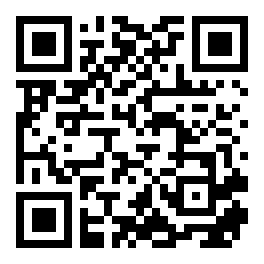
TAK Server — tak.greatcult.com

Enrollment QR
ATAK (Android)
  1. Scan the QR above, or download tak-enroll.zip.
  2. ATAK → Settings → Network → Servers → Add.
  3. Server: tak.greatcult.com:8089:ssl
  4. Enrollment port: 8446, then enter the mission credentials.
  5. ATAK generates its own key and receives a certificate. Nothing to install by hand.
iTAK (iOS)
  1. Download tak-enroll.zip to Files.
  2. iTAK → gear → Network → Servers → + → Upload Server Package.
  3. Enter the mission credentials when prompted.

If iOS refuses the package, use tak-full.zip instead — it carries a certificate and needs no enrollment step.

Connection: TLS 1.2+, mutual TLS on 8089. Certificate issued by the server’s own CA; the package above already trusts it.